Press kit
Capster press kit
Everything needed to write about Capster: the description, the assets, the facts, and one person to email. All of it is free to reproduce. Nothing here is embargoed — the app has been on the App Store since 26 October 2026.
Descriptions, at three lengths
One line
Capster adds animated, burned-in captions to short videos, entirely on an iPhone.
One paragraph
Capster is an iPhone app that turns spoken video into styled, animated captions. Import a clip, wait about a minute while the audio is transcribed in any of 99 auto-detected languages, pick one of 9 caption styles, fix any word the transcription got wrong, and export. The captions are rendered into the video file itself, so the result posts to TikTok, Reels or Shorts with the captions already visible. There is no account, and the video itself is never uploaded — only the extracted audio is sent for transcription, and it is deleted afterwards.
The part worth writing about
The caption preview and the final export run through the same renderer. Most caption tools preview with one layout engine and export with another, which is why the file so often does not match what was on screen. Capster uses a custom video compositor, so the preview is not an approximation of the export — it is the export, drawn a frame at a time.
Assets

Screenshots are below — right-click to save any of them, or take them from the App Store listing, which always has the current set. Please do not restyle the icon or place it on a light background.
Screenshots
From the current App Store listing. Re-shot every release, so pull them fresh if the piece runs later.
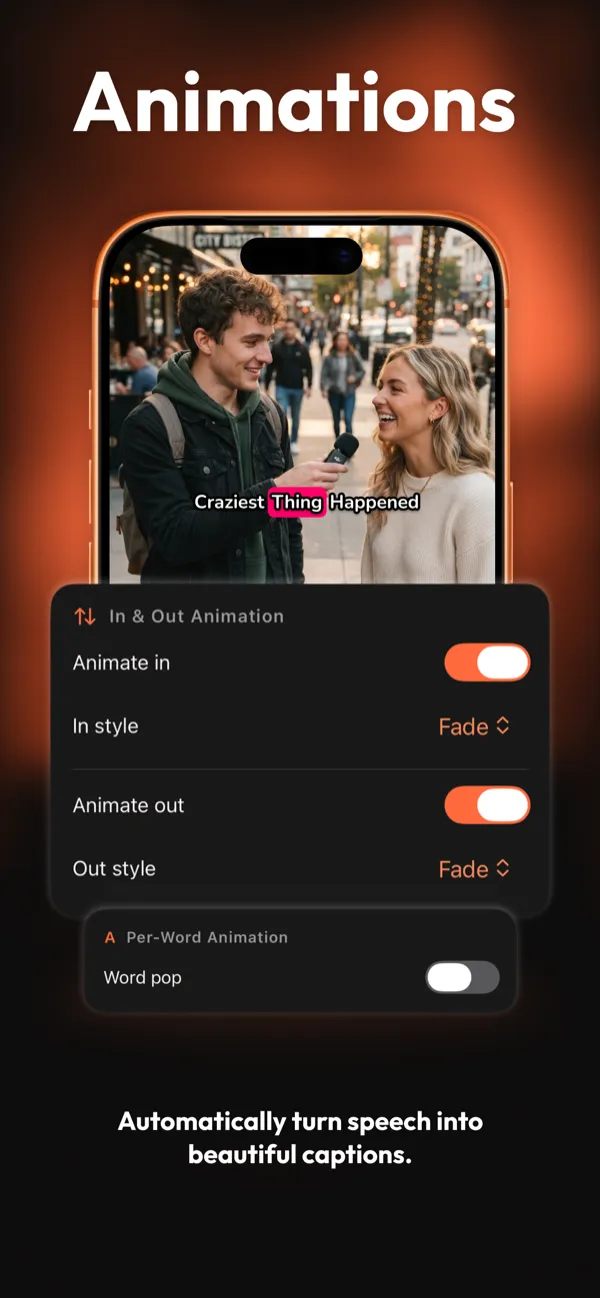
Animate captions in and out, or pop them word by word.
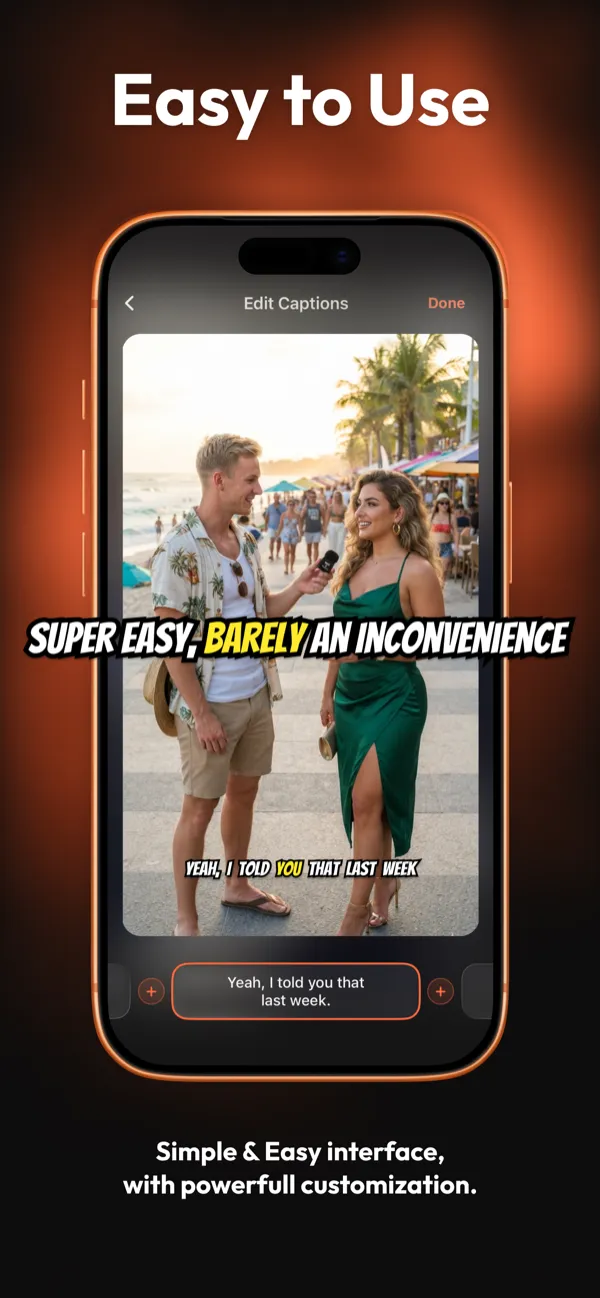
Tap any caption to fix a word, split a line, or retime it.
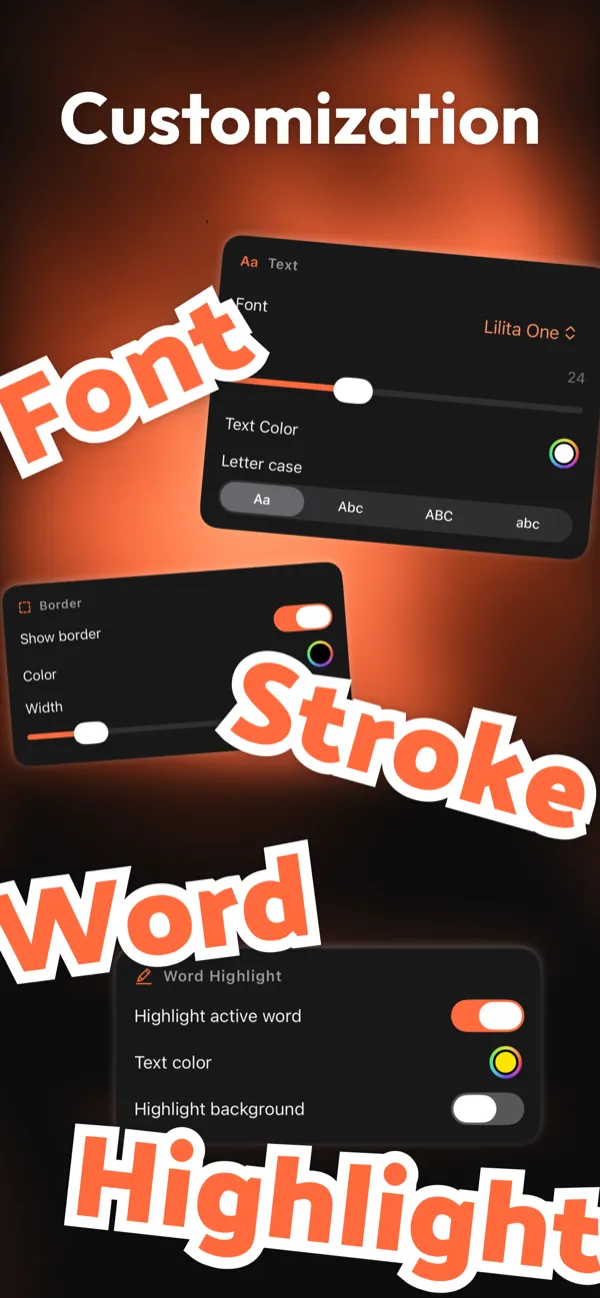
Font, size, colour, outline, letter case, word highlight.



Facts to check against
| Name | Capster |
|---|---|
| What it is | An iPhone app that adds burned-in auto-captions to short videos |
| Platform | iPhone, iOS 16.0 or later. No iPad, Mac or web version |
| Latest version | 1.4.1, released 26 October 2026 |
| Download size | 25.7 MB |
| Category | Photo & Video |
| Price | Free with in-app purchases: $4.99 a month or $19.99 a year |
| Free tier | 5 transcriptions, clips up to 2 minutes, 2 caption styles, exports carry a badge |
| Languages | 99, detected automatically |
| Caption styles | 9 presets |
| Developer | Arjesh Vadadoriya, Surat, Gujarat, India |
| Contact | arjeshvadadoriya@gmail.com |
If a number here disagrees with the App Store listing, the listing is right and this page is stale — please say so when you email.
About the developer
Capster is built by Arjesh Vadadoriya, working alone from Surat, Gujarat, India. It started as a personal tool for captioning short clips without opening a desktop editor, and shipped to the App Store on 26 October 2026.
Review codes for Pro are available on request. Interviews, technical detail on the renderer, and specific screenshots are all fair game — ask.